SMS Auto Forward App

Forward SMS &
App Notifications to SMS

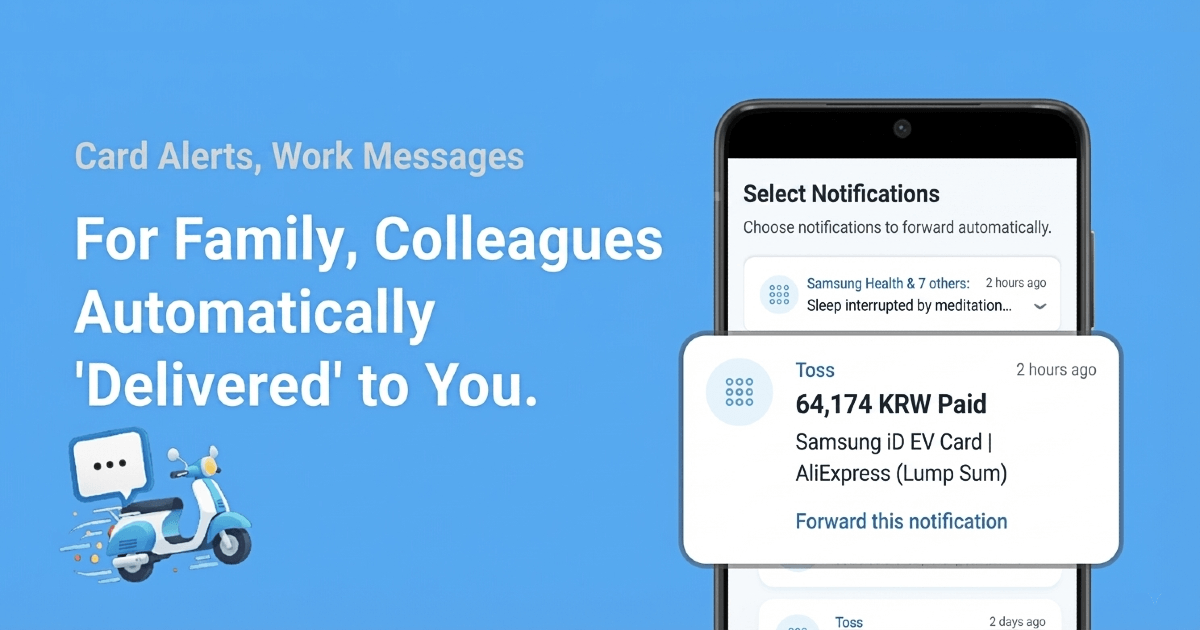
Stop copying and pasting! Forward SMS, WhatsApp, and Banking App alerts to other numbers automatically.
SMS Delivery App

Why Choose SMS Delivery?

Simplicity, Accuracy, Real-time - Three core values delivered

Setup in 1 Minute

Just select from your existing SMS list and the rule is created. No complex configuration needed.

📱

Works with Any App

Forward notifications from Messengers (WhatsApp, Slack) and Banking Apps as SMS.

🚀

Real-time Instant Forward

Automatically forwards immediately upon SMS receipt. Processed directly in the app without backend servers.

🔒

Privacy Protected

All data is stored locally on your device only. Safe as nothing is sent to external servers.

< 1 min
Average Setup Time
> 95%
Forward Success Rate
100%
Local Storage

How It Works

Get started in 3 simple steps

1

Grant Notification Access

Install the app and grant notification access. This allows detecting both SMS and App Notifications.

2

Select Alert to Forward

Select a message from your notification history (SMS or App) and a rule is automatically created.

3

Start Auto Forwarding

That's it! SMS containing that sender or keyword will now be automatically forwarded.

Recommended For

Real user use cases

💳

Share Card Transactions

Automatically forward card transaction SMS to your spouse in real-time for transparent sharing.

🏦

Forward Bank Alerts

Automatically forward deposit/withdrawal notifications to family members to share financial status.

💬

Forward Messenger Alerts

Receive important Messenger (WhatsApp, Slack) notifications as SMS on your other phone.

Frequently Asked Questions

How does the app work? +
SMS Delivery uses Android's notification access permission to detect SMS and App notifications. It then automatically forwards them as SMS to other numbers based on your rules.
Does it work when the app is closed? +
Yes. Once you set up the rules, the app runs efficiently in the background to forward messages automatically, even if you close the app window.
Is my personal information sent externally? +
Not at all. All data is stored only locally on your device (AsyncStorage) and is never sent to external servers. With no backend server, there's no risk of personal information leakage.
Is it available on iOS? +
Currently only Android is supported. iOS has background SMS access restrictions that make it difficult to provide the same functionality.
How many rules can I create? +
You can create up to 100 rules. You can create various SMS forward filtering rules by combining sender numbers and keywords.

Start Now

Setup in 1 minute, start auto forwarding immediately

Download for Android

Free Download · Available on Google Play